
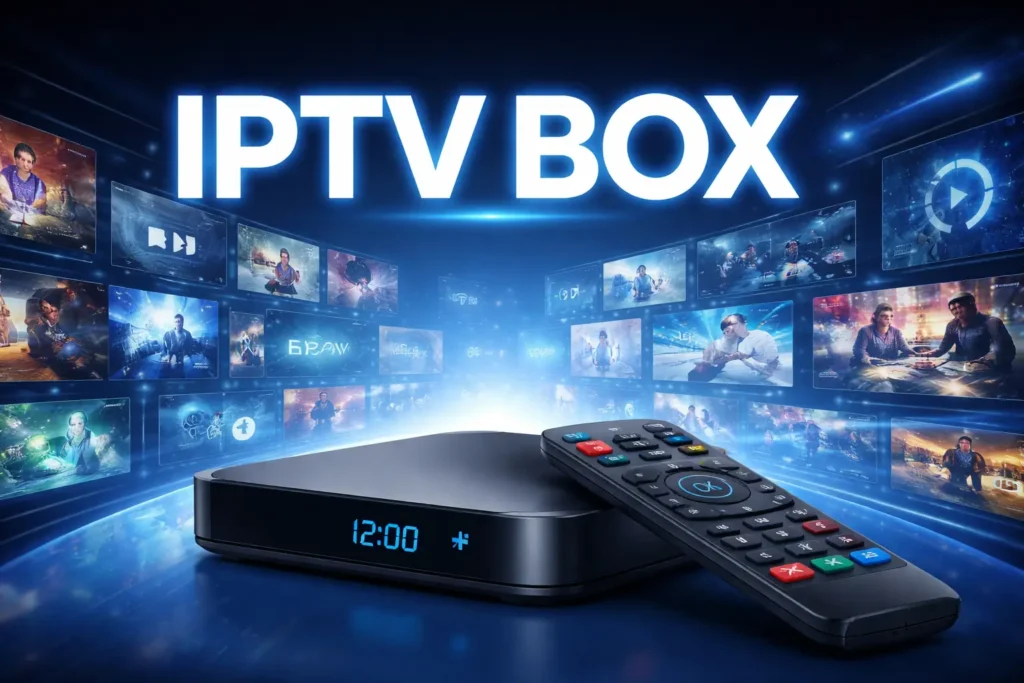
My old TV setup started freezing at the worst moments. That was enough for me to try an iptv box.
An iptv box is a small device that connects your TV to the internet and streams television content directly through it. No satellite dish. No heavy wiring. Just a stable connection and an HDMI cable.
But here’s what many people miss. The iptv box itself is only the hardware. What truly defines your experience is the subscription running behind it. Stability, channel quality, smooth playback, that all depends on the service you choose.
Instead of relying on traditional broadcast signals, the iptv box uses internet protocol technology to deliver live TV, sports, movies, and international content straight to your screen. If you want a clearer explanation of how this system works, this breakdown of what IPTV really means explains it without technical jargon.
The device is simple. The results depend on how well you set it up.
Before You Judge the Device, Understand the System
People usually blame the hardware when something buffers. Truth is, an iptv box is only the visible part of a bigger system. If the engine behind it is weak, the screen will show it.
So let’s break this down properly.

What an IPTV Box Really Is (Without the Tech Drama)
An iptv box is a compact streaming device that connects your TV to the internet and converts online television signals into something your screen can display smoothly.
Think of it as a translator between:
• Your internet connection
• Your IPTV subscription
• Your television screen
The iptv itself does not create channels. It does not “own” content. It simply receives digital streams and displays them correctly.
If the subscription behind the box is unstable, the experience suffers. If the subscription is optimized, the same box suddenly feels powerful.
That’s why checking what’s included in different IPTV subscription pricing options actually matters more than obsessing over hardware specs.
IPTV Box vs Traditional TV – What Actually Changes?
Instead of marketing talk, here’s the practical difference.
| Aspect | Traditional TV | IPTV Box |
|---|---|---|
| Signal Source | Cable or Satellite | Internet Protocol |
| Flexibility | Fixed packages | Adjustable service options |
| Installation | Often technician required | Plug into HDMI and connect Wi‑Fi |
| On‑Demand Access | Limited or extra fees | Usually integrated |
| Portability | Tied to one location | Works anywhere with stable internet |
The biggest shift with an iptv box is control. You’re no longer locked into rigid broadcasting structures.
How the IPTV Box Connects (Real Setup, No Complications)
The setup isn’t complicated. It’s actually boringly simple:
- Plug the iptv box into your TV using HDMI.
- Power it on.
- Connect it to Wi‑Fi or Ethernet.
- Install or log into your IPTV application.
- Enter your subscription credentials.
That’s it.
But here’s where many people mess up. They focus on the device and ignore the provider quality. The iptv box will only perform as well as the service feeding it.
Where Most People Go Wrong
They buy a random iptv online.
They connect it.
They install a low‑quality subscription.
Then they assume the technology doesn’t work.
The reality? The box is rarely the problem.
Performance depends on:
• Internet stability
• Server quality
• App optimization
• Proper configuration
When those align, an box feels smooth, responsive, and reliable.
And that’s the difference between “this thing is amazing” and “why is this buffering again?”
What Really Happens Inside an IPTV Box When You Stream
When you press play on an iptv box, it’s not just “loading a channel.” There’s a fast chain of events happening in the background.
Here’s the simplified version.
- You select a channel inside your IPTV app.
- The request is sent through your internet connection.
- The provider’s server responds with compressed video data.
- Your iptv box decodes that data instantly.
- The image appears on your screen.
That’s it. No satellite signal traveling through the sky. No broadcast tower. Just data moving through your connection in real time.
The Internet Is the Real Engine
An iptv box doesn’t generate quality. It depends on what you feed it.
If your internet is unstable, the stream will hesitate. If your bandwidth is solid, the box feels smooth and responsive.
Here’s a practical speed reference most people follow:
| Streaming Level | Recommended Internet Speed |
|---|---|
| HD Streaming | 5–10 Mbps |
| Full HD | 10–20 Mbps |
| 4K Content | 25 Mbps or more |
Wi‑Fi works fine for many homes, but if you want maximum stability on your iptv box, Ethernet usually feels stronger, especially when multiple devices are connected.
The Apps That Power the IPTV Box
The iptv box itself is only hardware. The experience lives inside the apps.
Most users install applications like TiviMate, IPTV Smarters, XCIPTV, or SmartOne IPTV. These apps connect your device to your subscription using login details or playlist credentials.
If you’ve ever heard about login formats like Xtream Codes and wondered what that means, this explanation of how IPTV Xtream Codes work breaks it down clearly.
Once authenticated, the box organizes channels, loads program guides, and allows instant switching between streams. That fluid navigation people talk about? It’s a combination of app optimization, server stability, and your internet speed.
From Server to Screen – The Full Picture
Think of the iptv box as a translator sitting between three elements:
• The streaming server
• Your internet connection
• Your television
If one of those is weak, the chain slows down. If all three are stable, the iptv box delivers a clean, fast viewing experience that feels nothing like traditional broadcast systems.
Understanding this process changes how you troubleshoot. Instead of blaming the device immediately, you start checking connection strength and service quality first.

This seamless process allows users to enjoy their favorite TV shows and movies with high-quality video and audio.
3. IPTV Box vs Other Streaming Devices
IPTV Boxes have gained popularity as an alternative to traditional streaming devices, but how do they compare to Smart TV apps and Android TV Boxes? When considering a streaming solution, it's essential to understand the differences between these options to make an informed decision.
IPTV Box vs Smart TV Apps
One of the primary comparisons to make is between Boxes and Smart TV apps. While both provide access to streaming content, they operate in different ways. Smart TV apps are built into modern televisions, offering a range of streaming services directly through the TV without the need for additional hardware.
Key differences between IPTV Boxes and Smart TV apps include:
- Content availability: Boxes can offer more extensive content libraries, including live TV and on-demand content, depending on the service provider.
- Customization: IPTV allow for more customization in terms of the user interface and channel lineup.
- Hardware requirements: Smart TV apps require a Smart TV, while IPTV can work with any TV that has an HDMI port.
In contrast, Smart TV apps are convenient because they don't require additional hardware, and they are often user-friendly. However, their content offerings might be limited compared to what an IPTV Box can provide.

Android TV Box or IPTV Box? Let’s Be Honest About the Difference
This is where many people get confused. They hear “Android TV Box” and assume it’s the same thing as an iptv box. Not exactly.
An Android TV device runs on the Android operating system. That means access to the Google Play ecosystem, customization options, file managers, and a wide range of apps beyond streaming.
An iptv box, on the other hand, is usually optimized specifically for television streaming. Less clutter. Fewer distractions. More focused performance.
Here’s how they really compare in daily use.
What Android TV Boxes Do Well
• Access to thousands of apps
• Custom launchers and interface tweaks
• Broader file format support
• Extra flexibility for tech-savvy users
If you like experimenting, installing APK files, and tweaking settings, Android systems give you room to play.
Where an IPTV Box Feels Simpler
An iptv box is built with streaming in mind first. That usually means:
• Faster access to live channels
• Cleaner layout for TV viewing
• Fewer unnecessary background apps
• Easier setup for non-technical users
For someone who just wants to plug in a device and start watching, the iptv often feels more straightforward.
Setting Up Your IPTV Box Without Overthinking It
Let’s walk through this in a practical way. No fluff.
Before starting, make sure you have:
• Your iptv box
• HDMI cable
• Power adapter
• Stable internet connection
• Your subscription login details
Now the actual process.
Step 1 – Connect the Hardware
Plug the box into your TV using HDMI. Connect the power cable. Turn both devices on.
Step 2 – Connect to Internet
Open network settings and choose Wi-Fi or Ethernet. If you care about maximum stability, wired Ethernet usually performs better.
Step 3 – Install or Open Your IPTV App
Most users run apps like TiviMate or IPTV Smarters. Download the app if it’s not preinstalled, then enter your login credentials.
If you need a more visual walkthrough of the setup flow, the official IPTV installation tutorial explains the process clearly.
Step 4 – Test Before You Relax
Open a few channels. Switch between categories. Check loading speed. A properly configured iptv box should feel responsive within seconds.
If something buffers, check your internet speed first before blaming the device.
The Real Decision Isn’t the Device
Whether you choose Android or a dedicated iptv, the hardware is only part of the story.
Performance depends on:
• Internet stability
• Server quality
• App optimization
• Correct configuration
Get those right, and the box becomes a smooth, reliable entertainment hub instead of just another gadget under your TV.
What Separates a Good IPTV Box From a Frustrating One
At some point, every iptv owner asks the same question: why does one setup feel smooth while another feels like a headache?
It usually comes down to three things. Hardware quality, internet stability, and the service running behind it.
Let’s break it down clearly.
The Features That Actually Matter (Ignore the Marketing Hype)
When choosing an box, these are the specs that genuinely affect your experience:
Video Support
• HD support is the bare minimum today
• 4K capability makes a visible difference on larger screens
If your TV supports 4K, your box should too. Otherwise you’re not using your screen’s full potential.
Storage Space
You don’t need massive storage, but you do need enough room for streaming apps and updates. Too little space slows things down.
RAM and Processor
This is where many cheap devices fail.
More RAM means smoother app switching.
A faster processor means quicker channel loading.
A weak chip inside an iptv leads to lag, even with strong internet.
App Compatibility
Make sure the iptv supports apps like TiviMate, IPTV Smarters, XCIPTV, or SmartOne IPTV. Without proper app flexibility, your options shrink quickly.
Internet Requirements – Realistic Expectations
Your iptv box can only perform as well as your connection allows.
| Streaming Quality | Stable Speed Recommendation |
|---|---|
| HD | 5–10 Mbps |
| Full HD | 10–20 Mbps |
| 4K | 25 Mbps or higher |
If multiple devices are using the network, consider higher speeds. Ethernet often delivers more consistent results than Wi‑Fi, especially for 4K streams.
The Honest Pros and Cons of Using an IPTV Box
No device is perfect. Let’s keep it real.
Why People Prefer an IPTV Box
• Access to live TV and on-demand content in one place
• More flexible viewing options
• Often more cost-efficient than long TV contracts
• Works globally with stable internet
Where Limitations Show
• Completely dependent on internet quality
• Low-quality providers create buffering issues
• Cheap hardware can cause freezing
• Occasional app updates required
A powerful box paired with a stable service feels effortless. A poor combination feels unreliable.
Common Problems and Simple Fixes
Even a well-configured iptv box can run into issues. The key is knowing what to check first.
Buffering
• Run a speed test
• Restart your router
• Switch to Ethernet if possible
• Confirm the provider’s servers are stable
Freezing or Lag
• Restart the iptv
• Close background apps
• Check for system updates
App Crashes
• Clear app cache
• Reinstall the application
• Confirm your login credentials are valid
If repeated issues continue, sometimes it’s worth reviewing the service quality itself. Many people discover that switching to a more stable setup makes their box feel completely different.
Security and Privacy – Don’t Ignore This Part
Streaming should be smooth, but it should also be safe.
Use trusted IPTV applications.
Avoid random unknown APK files.
Keep your device updated.
Many users also run a VPN like NordVPN or Surfshark to protect their privacy while streaming on an iptv box.
And most importantly, choose a provider that is transparent about its service terms. If you ever need clarification, reviewing the official terms of service helps you understand how the platform operates.
When everything is configured properly, the iptv box becomes reliable instead of unpredictable.
So, Is It Worth It?
If you’ve made it this far, you already understand something important. This isn’t just about a small device under your TV. It’s about control.
Control over what you watch.
Control over when you watch it.
Control over how much you pay for it.
When everything is configured properly, the experience feels modern, responsive, and far less restrictive than old broadcast setups. You’re not tied to rigid packages. You’re not waiting for a technician. You’re simply streaming what you want, when you want.
But here’s the honest part. The device alone won’t save you from a weak service or unstable internet. The real difference comes from pairing solid hardware with a reliable provider and a stable connection.
If you’re serious about upgrading your setup and want to see what a stable streaming service actually looks like in practice, you can explore the full platform directly on the official IPTV homepage. Take your time, compare options, and choose what fits your needs.
This isn’t about hype. It’s about building a setup that works quietly in the background without constant troubleshooting.
Quick Answers to Common Questions
What exactly does the device do?
It connects your television to the internet and streams live channels and on‑demand content through dedicated apps.
Is setup complicated?
Not really. HDMI, internet connection, app login, and you’re ready. Most of the time is spent choosing the right subscription rather than configuring the hardware.
Does internet speed really matter that much?
Yes. A weak connection causes buffering. A stable one makes everything feel smooth.
Can it work on older TVs?
If your TV has an HDMI port, you’re good.
Is it safe to use?
Stick to trusted apps, keep your system updated, and consider a VPN if privacy is important to you.
Final Thought
Technology should make life easier, not more complicated. When set up correctly, this kind of streaming system removes friction instead of adding it.
If you’ve been thinking about upgrading your home entertainment, this might be the shift that finally makes sense.
DMCA Disclaimer
This website does not host, store, or distribute any media content. All content accessed through third‑party applications or services is the responsibility of the respective service providers. We do not endorse or promote copyrighted material without proper authorization. Users are responsible for ensuring compliance with local laws and regulations when using streaming services.
